

Free mobile merch ordering
Mobile merch ordering for venues & events
Built for volume. Handle hundreds of orders a night without adding staff, hardware, or congestion at the merch stand.
50+ venues nationwide

Trusted by major venues & tours
- Dude Perfect
- Linkin Park
- Zach Bryan
- Forrest Frank
- Alan Jackson
- Lauren Daigle
- BOK Center
- Paycom Center
- Fontainebleau
50+
venues nationwide
950+
orders in a single night, easily handled
$100,000+
in merch sold in a single night
$8M+
processed across tours, venues & events
Built for venues
The line is a building problem, not a merch problem
A merch queue in the concourse blocks concessions, bathrooms, and the walkways you are responsible for. Moving the transaction to the phone clears the floor.
- No concourse congestion
- No extra headcount on the stand
- No new hardware to house or power
- No need to replace your POS. We work alongside every building vendor system

For fans
Three steps to order merch
No app download, no line, no missing the set they paid for.
-
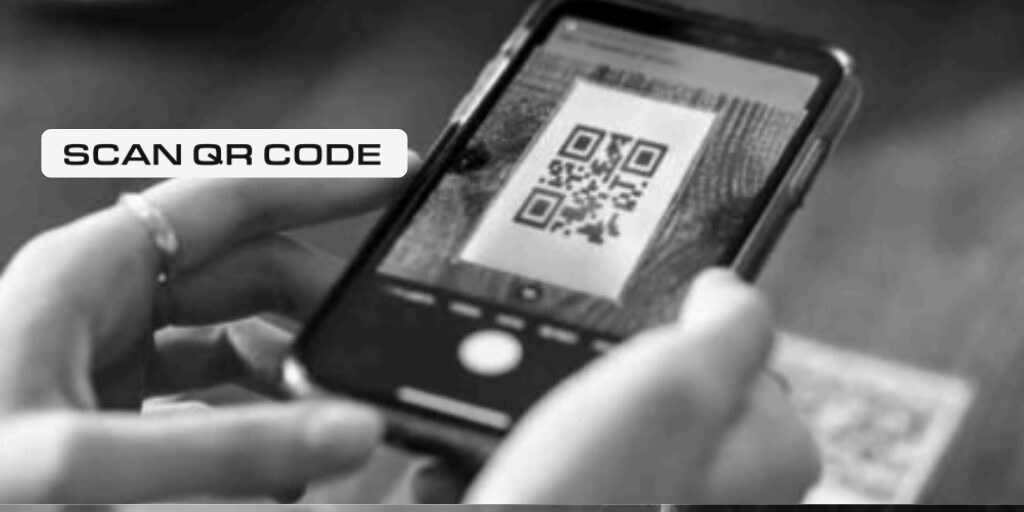
On signage, the video screens, a handbill, or the ticket email. No app to download.
-

They shop live inventory for that night and pay on their phone, without leaving the show.
-

A message tells them when it is bagged. They collect it, with no second queue.
For teams
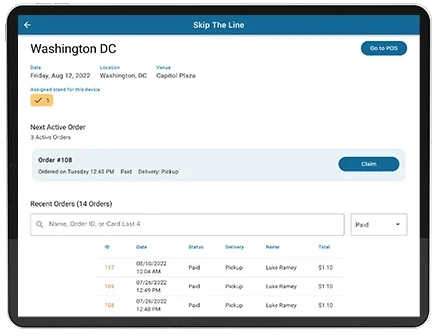
Your team works one screen
No new hardware, no extra staff, and nobody learning a till. Orders arrive, get staged, and go out.
- Orders Appear in Real Time Every order lands in the fulfillment view instantly.
- Pick, Stage & Mark Ready Your team pulls items and marks the order ready.
- Customer Is Notified Automatically Pickup details go out without anyone sending them.
Reporting
Clean end-of-night numbers
Pre-show and onsite sales are reported separately, so settlement conversations start from real data rather than a shoebox of receipts.
- Pre-show vs onsite split
- Per-event and tour-wide views
- Buyer data stays yours
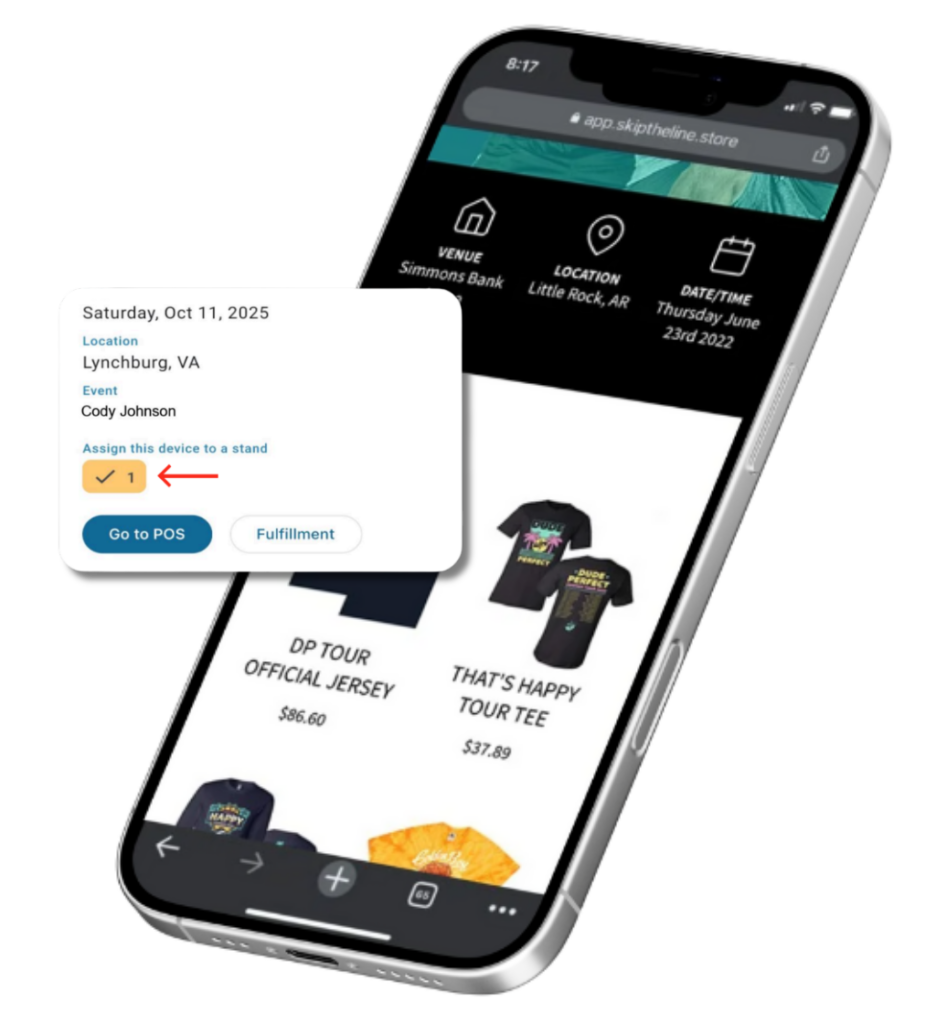
Multiple stands
One building, every stand, one set of numbers
An arena does not have a merch stand. It has five, on three levels, and they all sell the same shirt. Skip The Line counts each one separately and still knows the building total.
- Stock counted per stand, down to the size
- An order pulls from whichever stand still has it
- Low-stock alerts fire per stand, not per building
- Close a stand mid-show and its stock returns to the pool
Two stands cannot both sell the last one. Counts are locked while an order is taken, so the second till is told it is gone rather than both being told it is there.
Setting up
Send what you already have
No forms to fill in one show or one shirt at a time. Send the tour list and the merch sheet in whatever shape they are already in.
-
Load the tour from a link
Paste a link and it reads the dates off the page. A screenshot, a spreadsheet or pasted text work the same way. It works out each venue’s timezone from the city, and skips dates already on your calendar.
-
Load the merch from the sheet
Send the merch sheet as it already exists, a PDF from the manufacturer or a photo taken on your phone. Sizes, prices and the extra cost on a 2X all come across, and every colour becomes its own product.
Nothing is created until you say so. You get a list of what it found, with a tick box on every line. Change what is wrong, drop what you do not want, and apply the rest.
Getting started
A whole tour, set up in 30 minutes
Build a branded storefront, load your merch once, and let inventory and QR codes generate for every date on the run. Our team does it with you.
-
1
Publish a Storefront
Add your branding and event details to publish an official storefront fans land on to shop merch.
-
2
Add Merch + Set Inventory
Built-in inventory tracking and reporting keeps operations simple and efficient.
-
3
Share Your Link + QR Code
Post it at the venue, on screens, signage, social, or pre-show messages.
-
4
Fulfill Orders
Your team fulfills orders and marks them complete. Fans are notified automatically when pickup is ready.
Cost
Free for your venue and your vendors
A small service fee is added to the fan's purchase at checkout to cover processing and platform costs.
- No extra processing fees
- No monthly fees
- No new hardware needed
Skip The Line
Frequently asked questions
Skip The Line is mobile merch ordering and fulfillment that lets fans buy from their phone and pick up fast, while your team stays organized with real-time inventory and order management.
Artists and merch teams, tours, venues and events, and merch companies that want to reduce merch lines, prevent overselling, and sell more per show.
Yes. The platform costs your team nothing. A small service fee is added to the fan’s purchase at checkout, which covers payment processing and the platform itself.
No. Fans scan a QR code or tap a link and shop in their phone browser. Nothing to download.
Yes. You can share the storefront link ahead of time so fans browse and buy early, then pick up onsite.
Handle customer service the same way you do now. Your team controls fulfillment status and resolves issues based on your own policies.
Your team uses the fulfillment app to see orders instantly, pull items, mark orders ready or complete, and keep pickup moving.
Fans place an order, your team prepares it, and the system sends pickup details and notifications so the handoff stays clean and fast.
Inventory updates as items sell, so out-of-stock sizes and items stop being available. No guessing, no overselling.
No. Skip The Line runs alongside whatever you already use, including building vendor systems, and nothing has to be swapped out or turned off. It is an additional channel that takes pressure off the line and captures sales you are losing to it.
You keep your merch revenue from every sale, and you keep the buyer data captured through orders for follow-ups and future drops.
A quick demo and onboarding, your merch catalog (products, variants, pricing, photos), starting inventory, and a plan for where the QR code and link will appear.
Yes. Stock is counted per stand and per size, so each one has its own numbers and its own low-stock alerts, and you still see the building total. An order pulls from whichever stand has the size. Counts are locked while an order is taken, so two stands cannot both sell the last one.
No. Send the tour list as a link, a screenshot, a spreadsheet or pasted text, and the merch sheet as a PDF or a photo. Both get read for you. You then see a list of everything found, with a tick box on every line, and nothing is created until you apply it.
About 30 minutes for an entire tour. You set up the storefront, load your merch once, confirm inventory, and the QR codes and links generate for every date. Then run a test order and you are done.
See how it works
Book a demo for your venue
In a quick walkthrough we'll map Skip The Line to your show flow: artist profile, merch catalog, QR code ordering, real-time inventory, and pickup fulfillment.